 Kapti
KaptiInternal project E-commerce
An EAA-compliant checkout journey, and a search that understands “blue cushion for grey sofa”
A department store requires an accessibility statement, and search finds nothing beyond two words. Compliance and semantic search in 8 weeks.
- Sector
- E-commerce
- Typical engagement
- 8 weeks
- Indicative budget
- From €24,500 excl. VAT
- Proposed team
- 3 leads from the collective
- Services
- Accessibility Compliance · AI Product Sprint
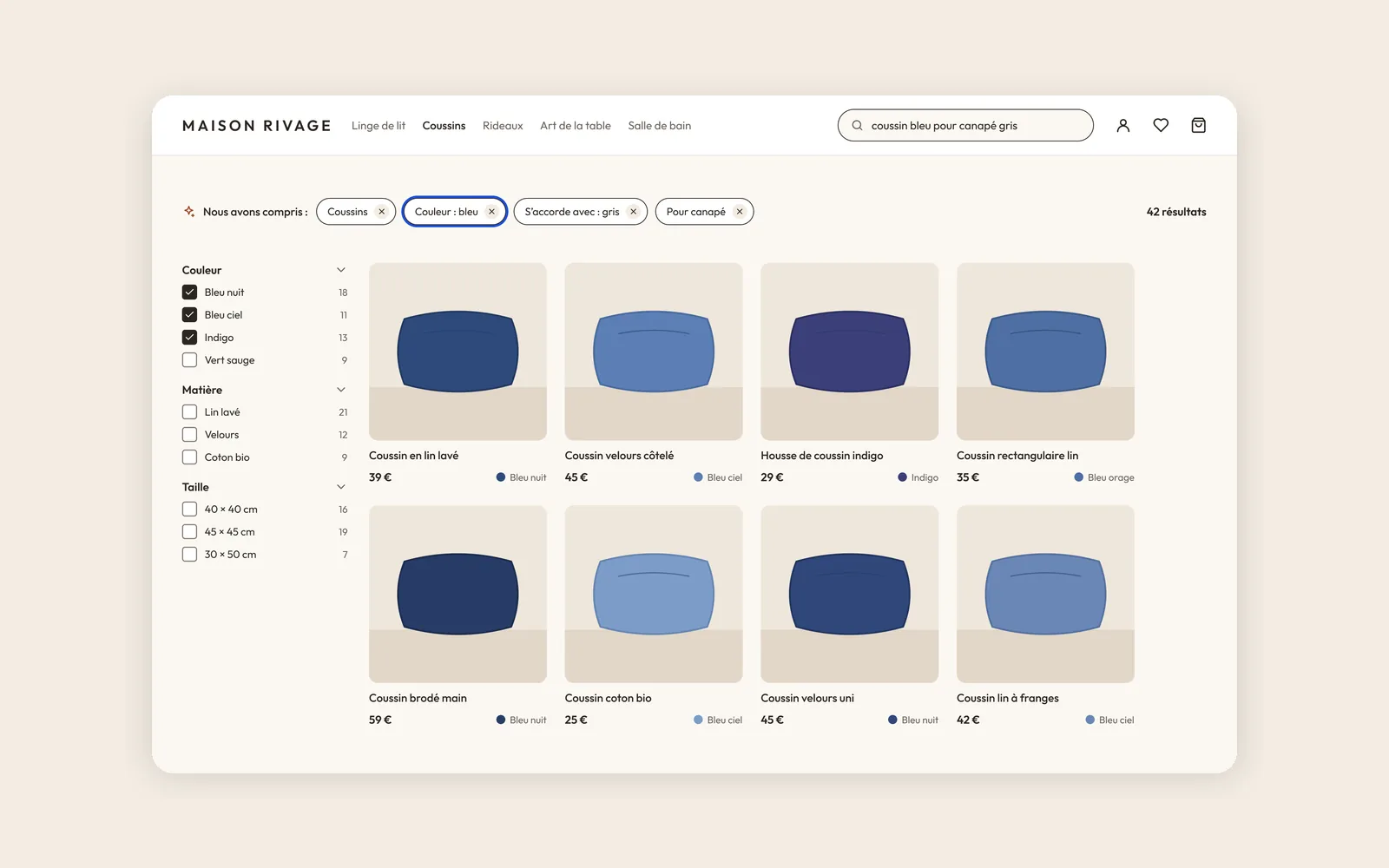
Internal project, carried out among members of the collective to explore the e-commerce sector. This is not a client engagement: “Maison Rivage” is a demo brand.
Context
The need we imagined, based on what we hear in the sector:
A department store wants to list our products, provided we give them an accessibility statement. On top of that, our search engine finds nothing as soon as a query goes beyond two words, and 18% of searches end with no results.
Typical client: A large European home decor e-commerce business, directly affected by the European Accessibility Act since June 2025.
The challenge
- 1
European Accessibility Act
Filters, product page, cart and payment must be usable by keyboard, screen reader and zoom.
- 2
Search that understands intent
Color, material, room, use: semantic search turns a sentence into visible, editable filters.
- 3
Don’t break conversion
Each fix is shipped in small steps and measured.
The engagement we would run
Typical 8-week engagement
Here’s how we would run this engagement for a real client. The screens and demo below were produced during the internal project.
- 1
Audit · Weeks 1 and 2
RGAA audit of 15 template pages, testing with 4 people using a screen reader, a braille display or high zoom. Each non-conformity is classified: blocking, disruptive or minor.
- 2
Fixes · Weeks 3 to 6
Filters, product gallery, size and color selectors, cart, payment error messages. On both the design and the code side.
- 3
Semantic search · Weeks 4 and 5
Meaning-based search across the catalog, tested on 200 real queries. The query is translated into filters the customer can remove.
- 4
Follow-up · Weeks 7 and 8
Accessibility statement, rules built into the design system, training for product and content teams.
The team we would bring in
3 leads, one role each

João Da Silva Marly
Engagement lead, front-end and accessibility

Romain Peltier
Research and product design

Meril Banzouzi
Back-end and AI development
The screens
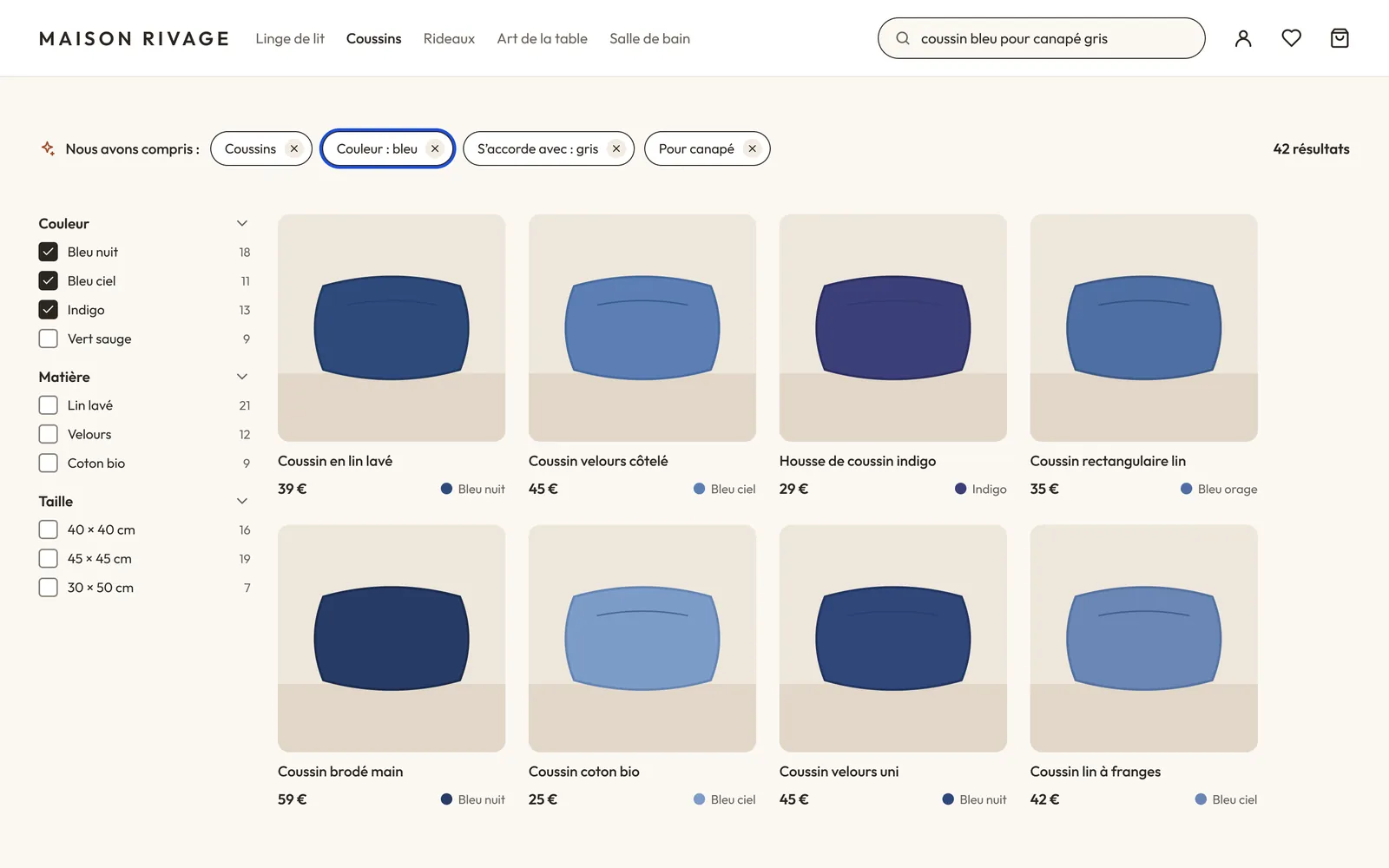
Product listing and understood search. The typed sentence becomes visible filters. Each filter can be removed with the keyboard, and the number of results is announced.
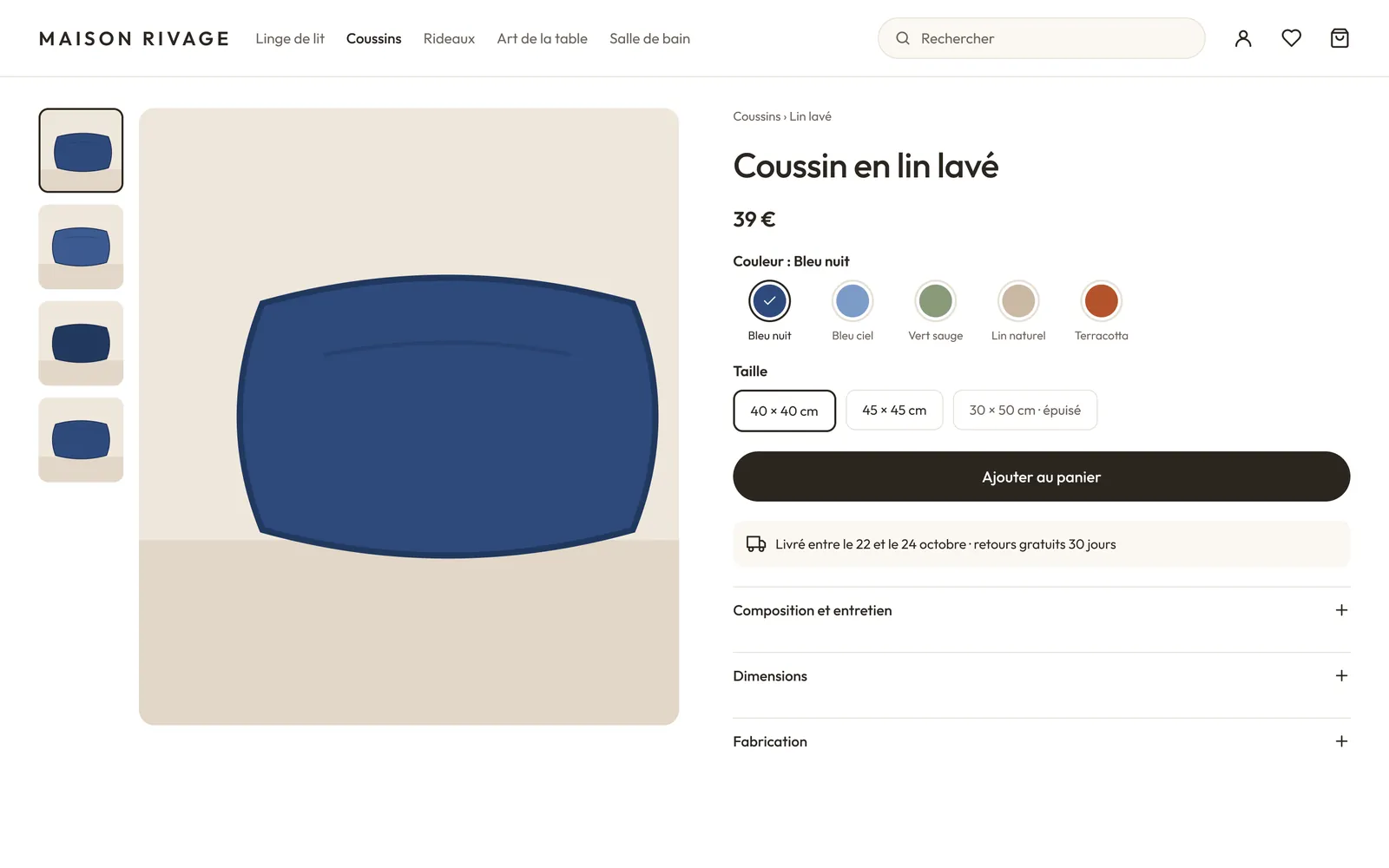
Accessible product page. Keyboard-navigable gallery, color choice with the shade name, readable delivery information.
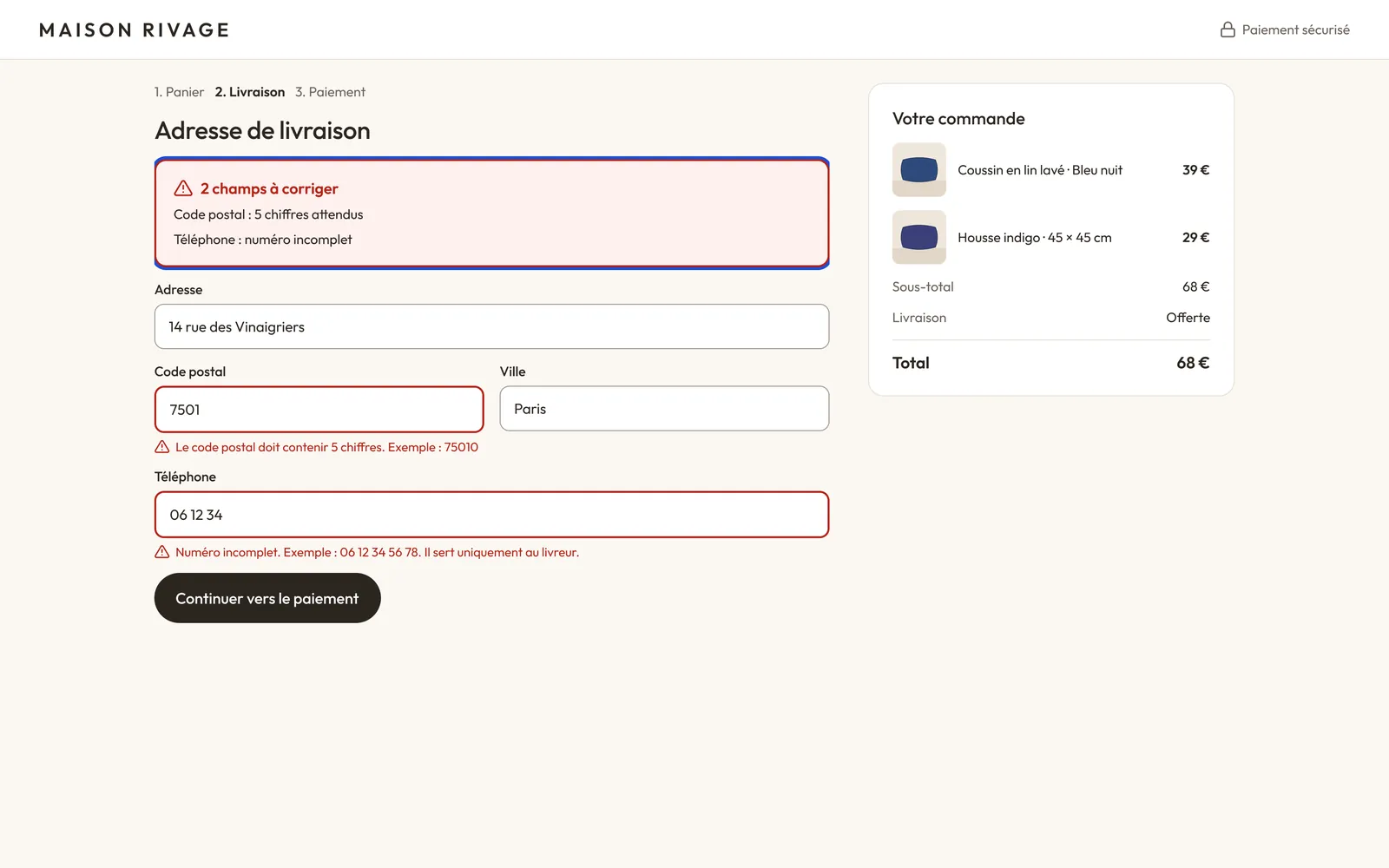
Payment and errors. Errors explained in plain language, next to the field and at the top of the form, without relying on color.
Interactive demo
You’re looking for a product in your own words
Search understands the request and translates it into visible filters you can remove.
Your turn
- 1Type a search or keep the example
- 2Read the filters the search understood
- 3Remove a filter: the results update
A search translated into filters
Demo catalog. Accessible component: each filter can be removed with the keyboard and the number of results is announced.
We understood:
Target outcomes
- RGAA compliance rate · Target: above 85%
- Searches with no results · Target: from 18% to under 6%
- Checkout conversion · Tracked at each release
What the client would receive
- Prioritized RGAA audit report
- Fixes delivered in design and code
- Semantic search in production
- Accessibility statement
- Design system accessibility rules